

Who is TP-Link?
TP-Link develops and markets networking and communications technology for a range of applications. In the B2B sector, Omada by TP-Link is the leading brand for professional Wi-Fi and networking solutions. The business range includes access points, switches, routers, gateways and controllers, which can be combined to form a manageable infrastructure.
Tapo complements the range with smart home products and cameras for simpler surveillance tasks. VIGI, as a separate brand, focuses on video surveillance in commercial settings. This division helps businesses with their initial selection: Omada focuses on professionally managed network infrastructures, VIGI offers solutions for commercial video surveillance, and Tapo is primarily aimed at smart home applications and smaller-scale scenarios.
If you are looking to procure specific TP-Link components from a particular series or planning a complete infrastructure, you should consider not only the price but, above all, the location, number of users, security requirements, centralised management and potential future expansions.
TP-Link Omada for professional networks
At the heart of the business portfolio is TP-Link Omada. This product family connects access points, switches and routers or gateways to a central management environment. Depending on requirements, central management is carried out via a local Omada hardware or software controller, or via a cloud-based Omada controller. Local controllers can also provide cloud access for remote management.
For businesses with multiple floors, sites or branches, centralised management is a key advantage. Network components can be configured, monitored and updated in a standardised manner. This simplifies administration and reduces the effort involved in making changes. At the same time, businesses can expand their Wi-Fi infrastructure in stages without having to set up an isolated, stand-alone solution for each area.
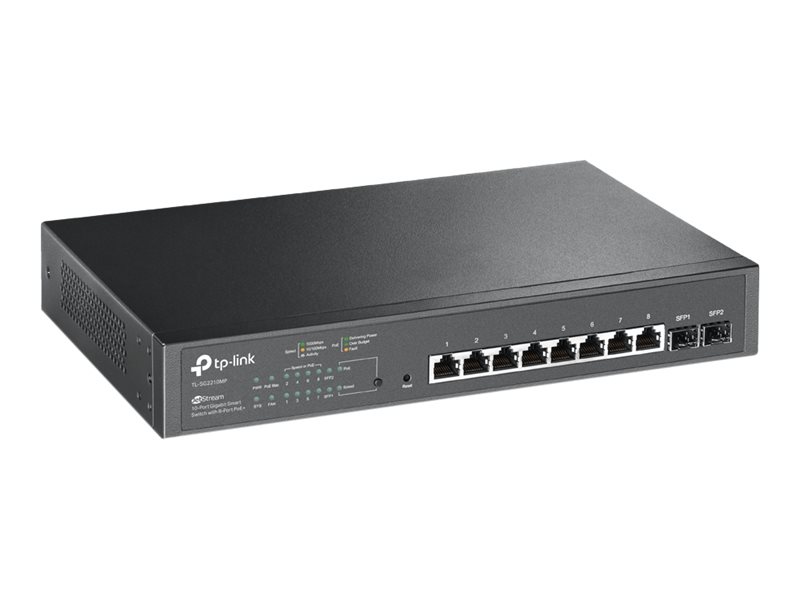
Depending on the model, Omada access points are designed for indoor use, outdoor use or wall mounting. Various Wi-Fi generations are supported, including Wi-Fi 6 and Wi-Fi 7. The range of switches extends from simpler, manageable models to variants with advanced Layer 3 functions. Power over Ethernet (PoE) enables compatible access points, cameras and other network devices to be powered directly via the Ethernet cable. When making a selection, the PoE standard, the power requirements of the end devices and the switch’s available PoE budget should be taken into account.
TP-Link Repeater: Extend your Wi-Fi coverage where you need it
A TP-Link repeater picks up an existing Wi-Fi signal and rebroadcasts it. This allows you to eliminate individual dead spots without having to lay a network cable at the installation site. For small offices, adjoining rooms or short-term use, this can be a simple solution.
In a professional environment, however, this solution has its limitations. As Wi-Fi repeaters receive and forward data via a wireless connection, the effective available data throughput may be reduced. The extent of this effect depends, amongst other things, on the Wi-Fi technology used, the frequency bands and the quality of the wireless connection. Where there are many users online simultaneously, video conferences or large data transfers, a wired access point is usually the better choice. To ensure a consistently stable connection across multiple rooms or floors, businesses should therefore consider whether structured cabling with Omada access points is feasible.
TP-Link Powerline as a supplementary solution
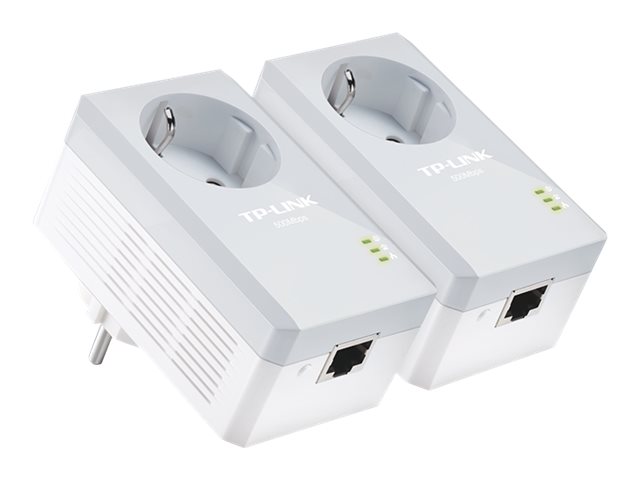
TP-Link Powerline adapters transmit network data via the existing mains supply. One adapter is connected near the router or switch, and another where a network connection is required. This can be useful in older buildings, on building sites or in areas where retrofitting Ethernet cabling would be extremely labour-intensive.
Powerline should be regarded within a business as a supplement to, rather than an equivalent replacement for, structured network cabling. The actual data rate and connection stability achievable depend on the electrical installation, the routing of the wiring, the phase distribution and sources of electrical interference. The specified transmission rates represent theoretical gross values; the data throughput achievable in practice depends on the specific installation conditions. For time-critical applications, large volumes of data and a large number of end devices, a wired infrastructure remains the more reliable foundation.
TP-Link M7350 for mobile workstations
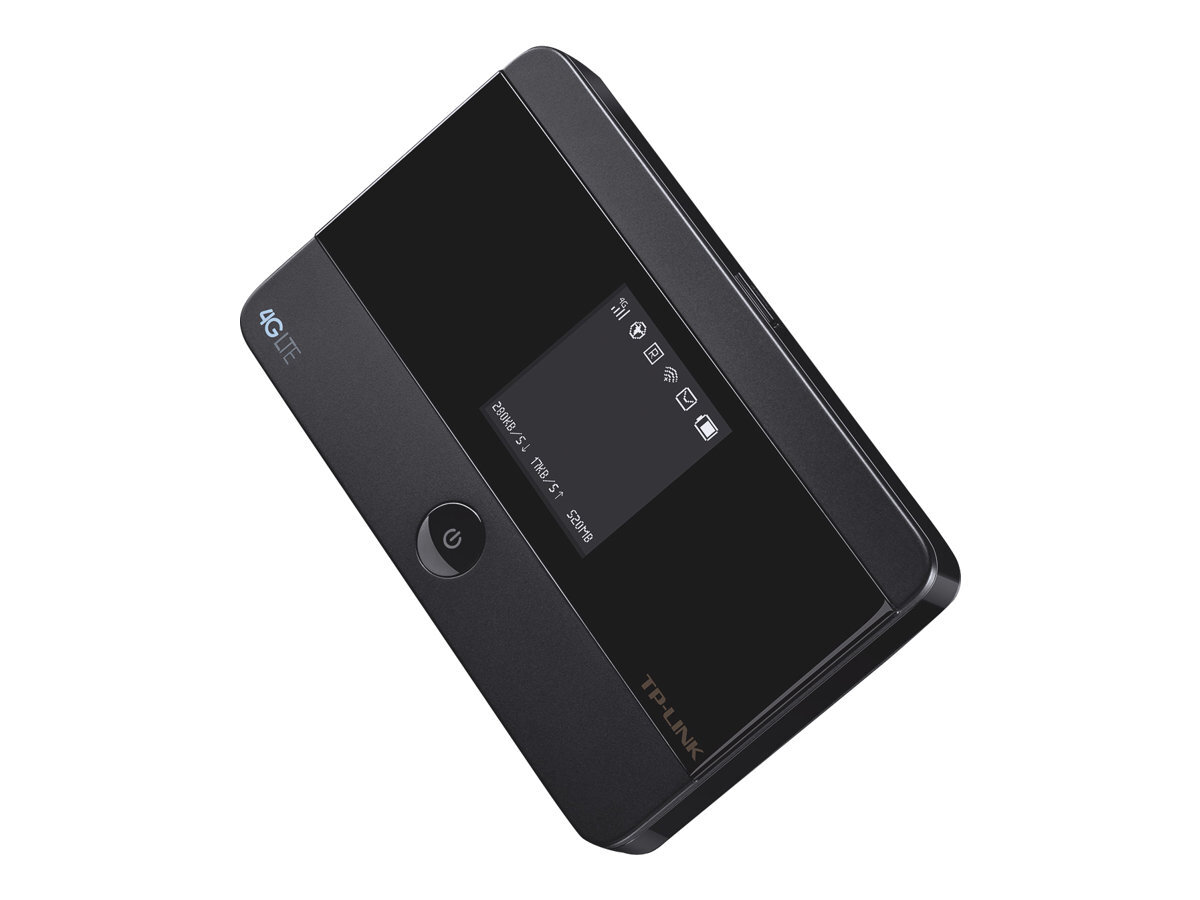
The TP-Link M7350 is a mobile 4G/LTE Wi-Fi router. Using a SIM card, the device provides mobile internet access and enables multiple devices to connect via Wi-Fi. This can be of interest to businesses where a fixed internet connection is not yet available at a particular location.
Typical scenarios include building sites, trade fairs, temporary project offices, field service visits or events. Its battery operation and compact design make it ideal for mobile use. Before purchasing, you should check the network coverage at the location, the data plan, the required operating time and the number of devices that can be connected simultaneously. The M7350 is not a substitute for a high-performance site network, but it can provide flexible internet access on a short-term basis.
What to look out for when buying TP-Link products
Define the area of application: For professional networks, Omada is usually the most suitable product range. Tapo is better suited to simple smart home or surveillance tasks, whilst VIGI is designed for commercial video surveillance.
Plan for centralised management: If you have multiple access points, switches or locations, you should check whether controller-based or cloud-based management is required.
Compare Wi-Fi standards and capacity: Wi-Fi 6 and Wi-Fi 7 can offer advantages when many devices are active simultaneously. However, the key factor is the interaction between the access point, switch, cabling and end devices.
Check PoE and connections: Power over Ethernet can simplify the installation of access points and cameras. You should also pay attention to the number of ports, uplink speed and available power budgets.
Take existing infrastructure into account: Repeaters and powerline networks can supplement existing infrastructure in specific areas. In cases of high data volumes, a large number of users or long-term expansion, structured network cabling provides a more powerful and predictable foundation.
Conclusion
TP-Link offers businesses a wide-ranging portfolio covering Wi-Fi, switching, routing, video surveillance and mobile connectivity. For centrally managed business networks, TP-Link Omada is the key product range. TP-Link repeaters and TP-Link Powerline products may be useful in smaller areas or as supplementary solutions. The TP-Link M7350 is designed for mobile and temporary deployment scenarios. The most suitable solution depends on the location, number of users, data volume, security requirements and planned expansion.
Buy TP-Link products from it-market
At it-market, you’ll find TP-Link networking equipment for setting up and expanding professional infrastructures, including Omada access points, switches, routers, gateways and accessories. Our team will help you select the right components for your environment. Depending on availability, the products are available as new or refurbished hardware. It-market offers a warranty of up to 3 years for businesses on both new and refurbished goods.
FAQ: Frequently asked questions about TP-Link
What is the difference between TP-Link Omada and Tapo?
Omada is the business range for professionally managed networks. Tapo is primarily aimed at smart home applications and simpler surveillance tasks.Is a TP-Link camera suitable for businesses?
A Tapo camera may be sufficient for smaller surveillance tasks. For larger premises or more comprehensive security solutions, VIGI is the designated product range.When is a TP-Link repeater a good choice?
A repeater is suitable for short-term or ad hoc expansion of an existing Wi-Fi network. Where there are many users and high data volumes, a wired access point is usually more suitable.What is the TP-Link M7350 used for?
The M7350 provides mobile 4G/LTE Wi-Fi access via a SIM card. It is suitable for building sites, trade fairs, temporary offices and field service scenarios.Can TP-Link Powerline replace network cabling?
Powerline can be a practical addition where it is difficult to lay cables. For high data volumes and a large number of devices, structured cabling usually provides a better foundation.