

What is a network switch?
A switch is an active network device that connects multiple end devices within a local area network (LAN) and forwards data to specific destinations.
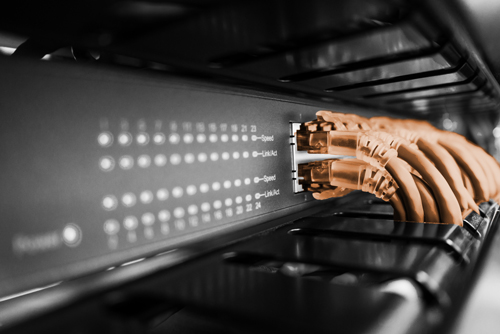
A network switch:
- typically operates at OSI Layer 2 (Data Link Layer)
- uses MAC addresses for destination identification
- routes data packets specifically to the correct port
- reduces unnecessary broadcast traffic
The significance of a switch in in modern corporate LANs is clear: they organise internal data traffic and ensure performance, stability and scalability. They form the central foundation for high bandwidths, structured cabling and VLAN-based segmentation.
How does a switch work?
A switch receives Ethernet frames (commonly referred to as data packets) at its ports, checks the destination address and forwards them to the appropriate output port. It automatically learns which MAC addresses are accessible via which ports and uses this information for targeted forwarding. Broadcasts, multicasts and unknown destination addresses, on the other hand, are distributed to multiple ports within the respective VLAN.
Managed switches can also prioritise data traffic, for example via QoS mechanisms such as 802.1p/CoS or DSCP. Layer 3 switches additionally offer routing functions between IP networks or VLANs.
To understand how a switch works, it is worth taking a look at its internal workings:
- The device processes Ethernet frames (data packets).
- The switch learns the source MAC address of the incoming frame.
- It stores the source MAC address along with the ingress port in its MAC address table.
- It then analyses the destination MAC address
- The frame is forwarded to the appropriate destination port once the destination MAC address is known.
What does a switch do technically within a business?
Within a business, a switch performs the following tasks:
Maximising bandwidth: Full-duplex allows staff to send and receive data simultaneously, which improves the usable connection capacity. However, bottlenecks during large backups or cloud synchronisations can still arise due to uplinks, servers, storage systems or the internet connection.
Network security & organisation (VLANs): It separates sensitive data streams from one another. This allows a guest to browse the guest Wi-Fi without having access to the accounts department or production control.
Reliability: High-quality enterprise switches minimise downtime through features such as redundant power supplies, hot-swap fans, link aggregation, stacking, MLAG/vPC-like technologies and Spanning Tree to prevent network loops.
Resource prioritisation (QoS): Ensures that a data-intensive download does not compromise the quality of an important customer call via IP telephony (VoIP).
Scalability: Enables the simple addition of new workstations or servers without having to fundamentally overhaul the existing infrastructure.
Inter-VLAN routing (Layer 3 routing): In larger organisations, a Layer 3 switch can route traffic directly between VLANs, thereby reducing the load on central routers or firewalls.
Modern devices typically operate at speeds of 1 Gbit/s, 10 Gbit/s or higher. In data centres, 25G, 40G, 100G, 200G or 400G switches are also used.
An overview of switching methods:
| Method | Description | Advantage | Disadvantage |
|---|---|---|---|
| Store-and-Forward | Checks the entire packet before forwarding | High security | Higher latency |
| Cut-Through (Fast Forward) | Forwards the packet immediately | Very low latency | Less error checking |
Store-and-forward is widely used in traditional corporate and campus networks. In latency-critical data centre environments, however, cut-through may be more relevant.
Network switches: Models
Choosing the right switch depends heavily on the application and the requirements of your IT infrastructure. It is important to note that switches cannot be categorised into a single, fixed category. Instead, they are classified according to various characteristics that can be combined.
By Management:
- Unmanaged switch: A simple solution for small networks requiring no administration. These devices operate on a plug-and-play basis and offer no configuration options.
- Smart Managed /Web Managed switch: Offers basic management functions via a web interface. Ideal for small to medium-sized networks where initial customisations such as VLANs or traffic prioritisation are required.
- Fully Managed switch: Fully configurable and therefore the standard in enterprise networks. Features such as VLAN, QoS or port mirroring ensure maximum control, security and flexibility.
By network layer:
- Layer 2 switch: Operates on the basis of MAC addresses and is responsible for communication within a local network. Offers low latency and is widely used in traditional LAN environments.
- Layer 3 switch: Combines switching and routing. In addition to Layer 2 forwarding, it can also handle IP-based routing and is therefore suitable for more complex networks.
By power supply:
- Non-PoE switch: Transmits data only. Connected devices require a separate power supply.
- PoE / PoE+ / PoE++ switch: Also supplies power to end devices via the Ethernet cable. Particularly useful for IP phones, access points or cameras, and reduces the need for additional power adapters and sockets.
By design and application:
- Desktop switch: Compact and suitable for smaller environments or individual workstations.
- Rack-mount switch: Designed for installation in server racks and standard in professional IT environments.
- Industrial switch: Robustly built for use in demanding environments, such as in industry or outdoors.
- Access switch: Connects end devices such as PCs, printers or access points to the network and forms the access layer.
- Aggregation/distribution switch: Bundles several access switches and structures data traffic within larger networks.
- Core Switch: The central element of the infrastructure, offering high performance and availability.
- Data Centre Switch: Optimised for high data rates, low latency and use in data centres.
This structured classification simplifies the selection process and highlights which features are crucial for your specific use case.
Which switch is right for your business network?
There are a few criteria you should bear in mind to find the right switch for your network.
Key selection criteria:
Number of ports and form factor
- 8, 24 or 48 ports?
- Rack-mount or compact?
- Modular or fixed?
Performance requirements
- 1G, 10G or higher?
- Uplink ports (SFP/SFP+) required?
- Redundancy (stacking, link aggregation)?
- Switching capacity
Functionality
- Layer 2 oder Layer 3?
- VLAN required?
- QoS required?
PoE requirements
- IP phones?
- Access points?
- Surveillance cameras?
Management
- Managed or unmanaged?
- Remote management?
- CLI oder web interface?
Energy efficiency and latency
- Power consumption
- Cooling
For small environments, an unmanaged device may be sufficient. For growing enterprise networks, a managed Layer 2 or Layer 3 switch is usually the right choice.
The products offered by manufacturers vary in a number of respects. For example, Cisco Systems, Hewlett Packard Enterprise and Juniper Networks , amongst others, offer a wide range of different switches.
Conclusion
A network switch is at the heart of modern LAN infrastructures. It intelligently manages data traffic, ensures performance and enables structured, scalable and expandable networks. A switch therefore not only helps to reduce operating costs, but can also better coordinate data flows.
Those planning for the long term should opt for high-performance, expandable switch network technology – ideally with VLAN, QoS and, where necessary, routing functionality.
Professional advice on switches from it-market
The number of devices connected to your Ethernet provides an indication of the complexity of your network. it-market and our expert sales team can assist you with this. We have an extensive range of network devices from a wide variety of manufacturers. The devices are available as new stock or fully refurbished through IT-Remarketing and come with up to a 3-year warranty for businesses.
FAQ: Frequently asked questions about switches
Which type of switch is right for my business?
The right choice depends on your requirements: unmanaged switches are sufficient for simple networks, whilst fully managed and often Layer 3-capable models are typically used in enterprise environments. Features such as PoE or the appropriate form factor also depend on the devices and infrastructure in use.
What is the difference between a switch and a splitter?A switch is an active network device that forwards data selectively based on MAC addresses. A splitter physically splits cables and has no switching logic.
What does a 10/100/1000 switch mean?10/100/1000 describes the supported speed of the switch: 10 Mbit/s, 100 Mbit/s (Fast Ethernet switches) or 1000 Mbit/s (Gigabit switches).
What is the difference between Switch V1 and V2?Designations such as V1 or V2 usually refer to different hardware revisions or product generations from a manufacturer, featuring technical adjustments or performance improvements. These may relate to the power supply, chipset, PoE budget, firmware support, fan, energy consumption or supported functions.